Just Dig It Mobile Controls
Touch layout tips for diggers on the go.
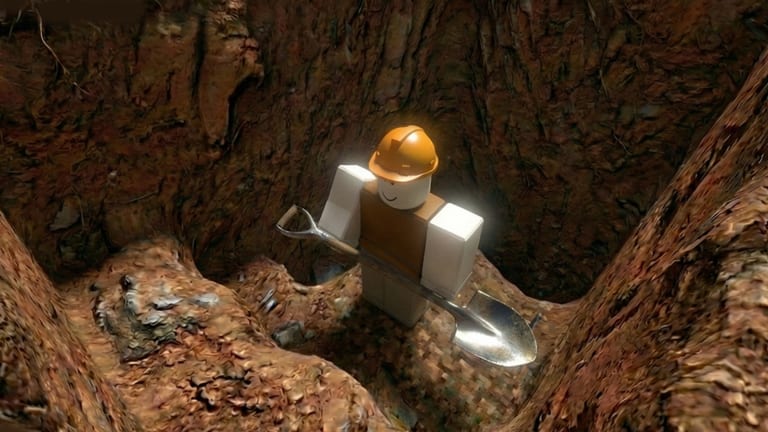
Just Dig It is a Roblox adventure mining experience by WAWAWA Top Go (Place ID 93563701469321). You dig Ancient Relics, sell them at the Drop Pod, upgrade gear at Camp, explore five geological layers, and escape with Artifacts while the world collapses. Up to four players can squad together. Stamina failure exhausts you instead of killing you.
Mobile play is fully valid for Just Dig It. Thumb reach for dig and interact matters more than fancy camera spins.
Touch essentials
Virtual joystick to move. On-screen dig or tap-to-dig depending on your Roblox touch settings. Tap interact prompts at Drop Pod and Camp. Use the menu button for Codes.
UI scale and clarity
Increase scale if buttons overlap. Keep stamina and inventory readable before deep runs.
Stamina awareness
Mobile sessions tire hands — take breaks aligned with stamina guide.
Co-op on mobile
Voice chat or quick text for courier calls helps — co-op.
Switching to PC later
Progress carries on the Roblox account. Review PC controls when you swap.
Keep exploring
Advanced session notes for Just Dig It
Treat every server join as a short campaign. Decide whether you are farming Ancient Relics for Camp cash or hunting Artifacts for an escape. Mixing both goals without a plan usually means you sell too late, dig too deep on a weak shovel, or climb while exhausted. Write the goal in chat if you play with friends so the whole squad of up to four shares the same win condition.
When Relic farming, prioritize lane continuity and Drop Pod cadence. When Artifact hunting, prioritize upgrade breakpoints, memorized exits, and stamina headroom for the ascent through the geological layers. The official fantasy is corporate profit versus a collapsing world — play like extraction, not endless idle swinging.
Common mistakes to avoid
Do not confuse Just Dig It by WAWAWA Top Go with similarly named Roblox diggers. Their shovel lists, currencies, and code corpora do not transfer. Do not ignore Camp partners until deep layers already feel impossible. Do not treat stamina exhaustion as harmless fluff; soft-fail still destroys tempo. Do not open long menus while carrying Artifacts. Do not redeem codes on phishing pages that ask for your Roblox password.
If a run collapses, reset intentionally: sell junk Relics, buy the missing Camp upgrade, restamina your plan, then re-enter the appropriate layer band. Progress compounds when failures become shopping lists instead of rage quits.
How this page connects to the rest of the wiki
Use the Codes hub after Like milestones near the advertised 5,000 Likes drop. Use Guides for how-to-play skill. Use Layers for depth strategy. Use Items to separate Relics from Artifacts. Use Upgrades for Camp spend order. Use Controls when inputs fight you. Use Scripts only for honest monitoring status. Use the Dig Run Planner before serious escape attempts. Cross-link siblings in the same navigation group so you never strand yourself on a single orphan article.
Advanced session notes for Just Dig It
Treat every server join as a short campaign. Decide whether you are farming Ancient Relics for Camp cash or hunting Artifacts for an escape. Mixing both goals without a plan usually means you sell too late, dig too deep on a weak shovel, or climb while exhausted. Write the goal in chat if you play with friends so the whole squad of up to four shares the same win condition.
When Relic farming, prioritize lane continuity and Drop Pod cadence. When Artifact hunting, prioritize upgrade breakpoints, memorized exits, and stamina headroom for the ascent through the geological layers. The official fantasy is corporate profit versus a collapsing world — play like extraction, not endless idle swinging.
Common mistakes to avoid
Do not confuse Just Dig It by WAWAWA Top Go with similarly named Roblox diggers. Their shovel lists, currencies, and code corpora do not transfer. Do not ignore Camp partners until deep layers already feel impossible. Do not treat stamina exhaustion as harmless fluff; soft-fail still destroys tempo. Do not open long menus while carrying Artifacts. Do not redeem codes on phishing pages that ask for your Roblox password.
If a run collapses, reset intentionally: sell junk Relics, buy the missing Camp upgrade, restamina your plan, then re-enter the appropriate layer band. Progress compounds when failures become shopping lists instead of rage quits.
How this page connects to the rest of the wiki
Use the Codes hub after Like milestones near the advertised 5,000 Likes drop. Use Guides for how-to-play skill. Use Layers for depth strategy. Use Items to separate Relics from Artifacts. Use Upgrades for Camp spend order. Use Controls when inputs fight you. Use Scripts only for honest monitoring status. Use the Dig Run Planner before serious escape attempts. Cross-link siblings in the same navigation group so you never strand yourself on a single orphan article.
Page focus note
This article focuses on controls / mobile inside the Just Dig It wiki. Keep Place ID 93563701469321 in mind whenever you verify codes, scripts, or screenshots so you never apply the wrong game’s data.
Frequently Asked Questions
Quick answers to common Just Dig It questions.
Does Just Dig It support mobile?
As a Roblox experience it supports touch play; confirm dig and interact binds on your device.
Which PC inputs matter most?
Movement, dig or attack, interact for Drop Pod and Camp, plus menu or inventory access.
Can I remap controls?
Use Roblox and in-experience settings where available; keep dig and interact easy to reach.
Any tips for fatigue?
Avoid digging while exhausted and lower camera intensity if the client allows.
Where is the beginner guide?
Start with how to play under Guides.